Winners from my GUI Week.

I have winners from my GUI week of December 22! They are Aurora Loaiza and Donna Robison. Thank you to Unity Stamp Company for their generous prize of a $20 credit to your account. Please email kelli@unitystampco.com and put “winner from Denise’s GUI week” in the subject line. You have two weeks to claim your prize. Sorry for the slight delay as I was out of town with family.

Thank you to all those who commented on my blog as well as the two Facebook Groups. Over 70 different people left comments and I loved all the feedback. I will be posting more during the year and was lucky enough to be chosen to do another GUI week in December of 2026, so join me again in December.

Keep crafting – Denise

Growing in Unity – Day 5

Well, it is day 5 and I am so glad to have this opportunity to share some of my cards with you. I hadn’t been in my craft room as much the last couple of years and this was a great way to start getting my stamps inky again. I used to go there and do something almost every evening and while I probably won’t do that much, I will definitely start doing more. I appreciate Unity for giving me this opportunity and all of the wonderful comments here and on Facebook.

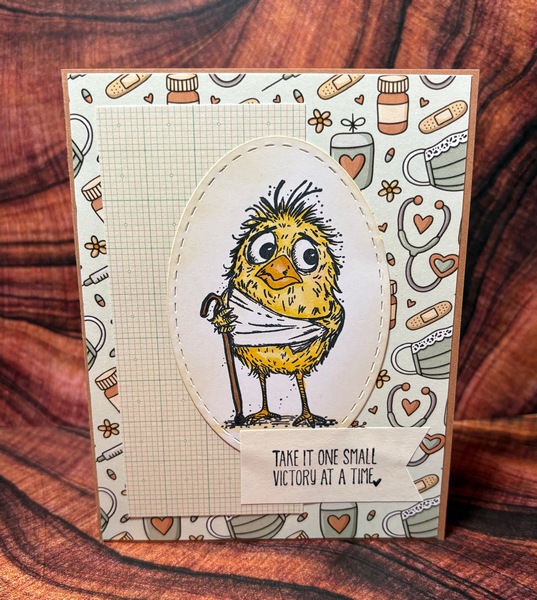
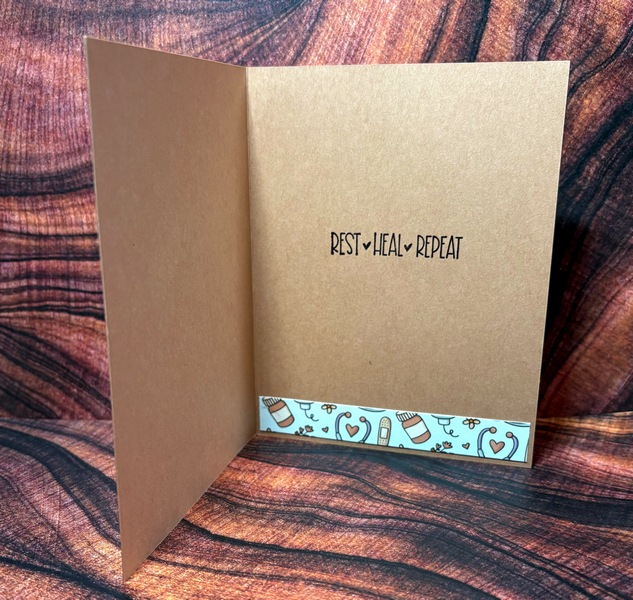
My last card is one I put together for our office to send to our boss. He fell this summer and broke several ribs and hurt his leg. It has been a long recovery and when I saw this stamp set and paper, I know immediately it would be perfect to send to him. I love how many of the stamp sets have paper packs to coordinate with them. I may have a 6 x 6 paper addiction, lol.

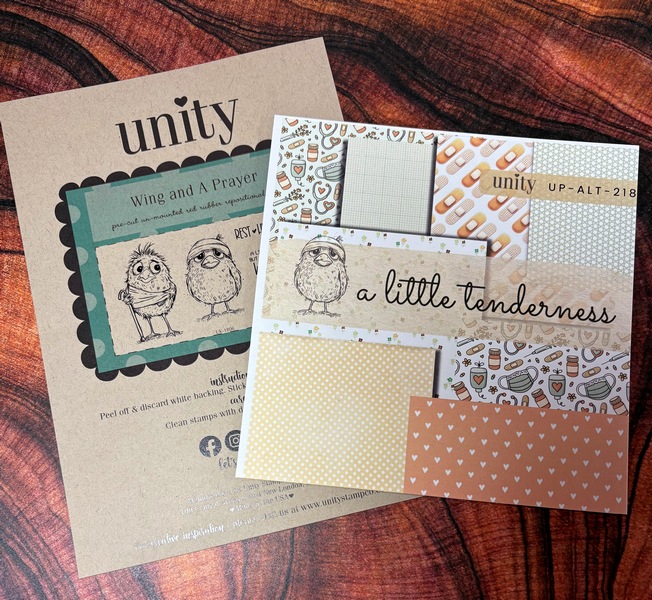
The stamp set is Wing and a Prayer and the paper set is A Little Tenderness. This combo is a must to keep on hand for get-well cards and the images are very quick to color. I also used the scraps from trimming the paper for the front to add to the inside.

Please comment below (add your name if it doesn’t show) for a chance to win a prize from Unity. Thanks again – Denise

Growing in Unity – Day 4

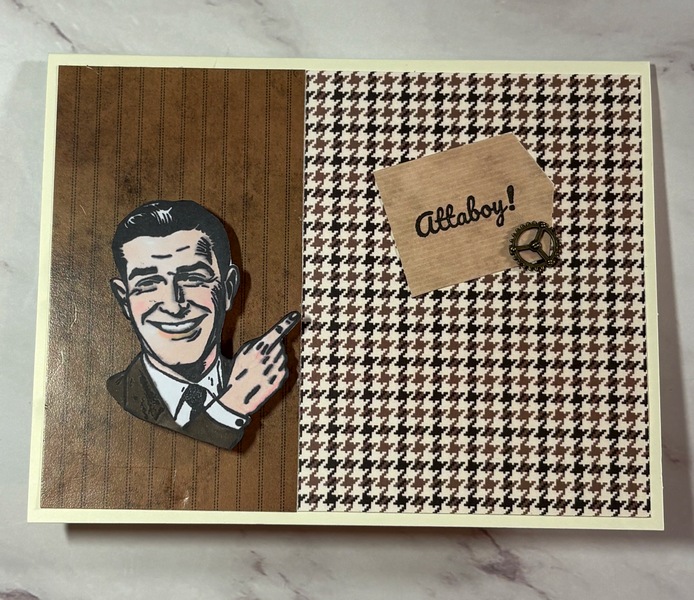
Merry Christmas! My December Whit Kit arrived in the mail this week and I loved the vintage masculine vibe it has. I decided to challenge myself to use all the elements included with the kit to make a card. These kits have a lot in them! I didn’t have a lot of time since I was getting ready for my trip to Washington, but with all that Whitney includes, it was pretty easy to whip one up.

I used the stencil on the inside of the card and I even put a mini wobbler under the guy. I tried to add a video of it, but I couldn’t remember exactly how to do that. There are a lot of items included in these kits and are a great value.

Make sure to leave a comment here or on the Unity Show & Tell Facebook Group for a chance to win a prize from Unity Stamp Company. – Denise

Growing in Unity – Day 3

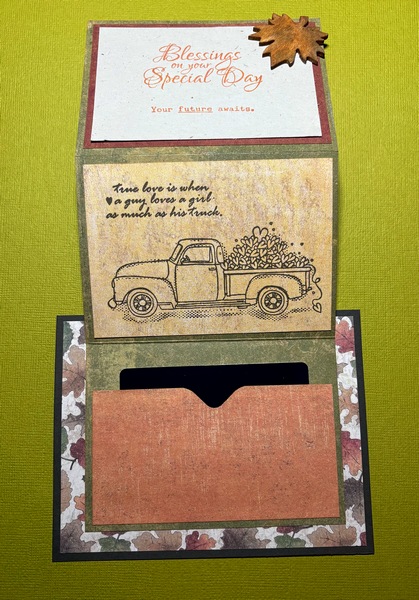
Welcome to day three of my week and Christmas Eve. My card today is a wedding card that holds a gift card. A great-nephew of mine was married this past fall and they had an outdoor wedding with a fall/farm theme. Both of them grew up on farms, so it wanted to make a card that would be special to them. This card has a Z fold part that is attached to the base. That allows you to lift the front to get to the gift card. The front uses stamps from the April 2019 KOM (Have & Hold). This is a great kit for weddings. The inside used a kit called A Guy and his truck. This was perfect because if you know farm boys, you know how much they love their trucks. I am not sure if this kit is still available as I couldn’t find it on the site. It was an Angie Blom design and she is one of my favorite Unity artists. I hope you enjoy this slightly different wedding card.

This is with the Z fold opened

Please be sure to comment here or on the Unity Show & Tell Facebook group for a chance to win a price from Unity Stamp Company. See you tomorrow – Denise

Growing in Unity – Day 2

Welcome to day 2 of my GUI week. Christmas is just a few days away and I travel on Christmas Eve, so I am beginning to panic a little with what I still need to do, lol. One project I did finish were these sheets for a Christmas dice game. A co-worker of mine always does this with her family, so I decided it would be a fun thing for my family to do too. Someone rolls one dice for the top and one for the side and do what the square says where the two intersect. The next person then has a turn. I made a grid on Excel with the various actions and printed it with the “keep your gift” squares printed in red. I wanted those squares to stand out even more, so I decided to stamp those squares with various stamps. I looked through my stamps to see what would fit in the squares. I came up with four different ornaments from the September 2020 KOM (Elements of the Holiday), a present from Birthday Go Round, and a tree, holly, and snowflake from October 2018 KOM (All Winter Long). I placed them on the squares in my stamp platform to make it easy to duplicate as I made three sheets. I also stamped off on plain paper before stamping on the grid so that they weren’t as dark and the words would show through. The Merry Christmas at the top is from Cheerful Prancing. I had an embossing folder with donimnos, so I used that and cut out the individual squares like dice. I realized that Unity didn’t have any dice stamps, so maybe that could be in the future.

Don’t forget to comment (add your name if commenting anonymously) for a chance to win a prize from Unity. See you tomorrow – Denise

Growing in Unity – Day 1

I am so excited to be a part of Growing in Unity this week. I was lucky enough to be a GUI some years ago and it is exciting to be one again. I have been neglecting my blog, so this is the perfect opportunity to start again. I can honestly say Unity Stamps are 90% of my stamp collection. Their quality and range of themes make them my favorite stamps.

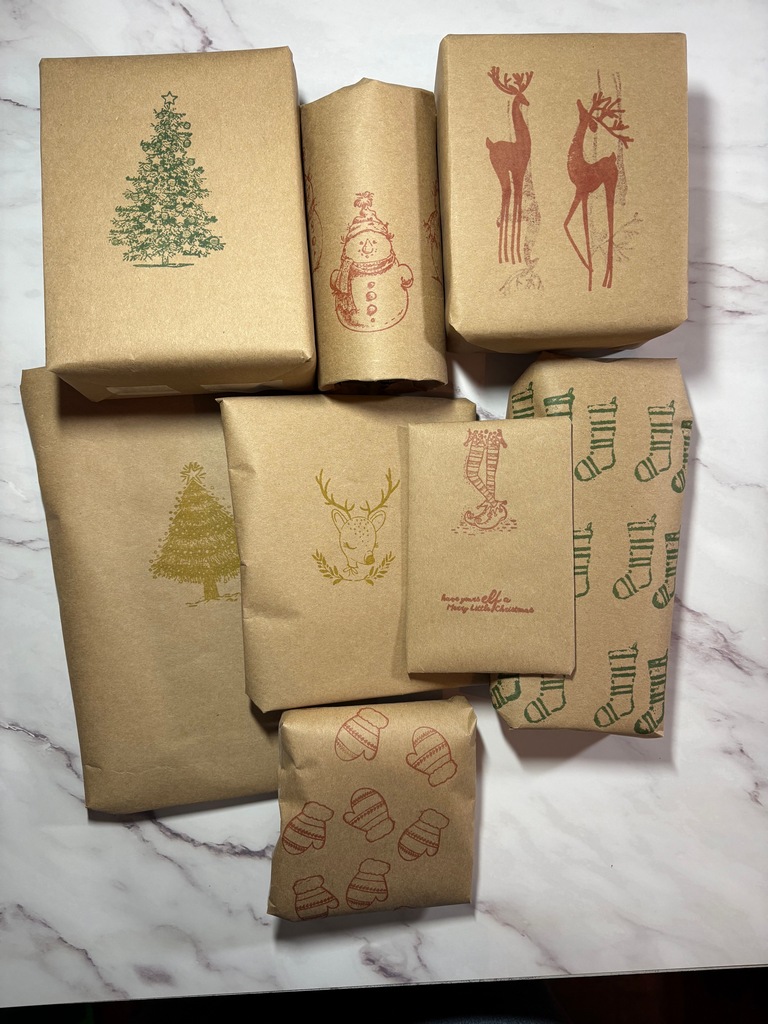
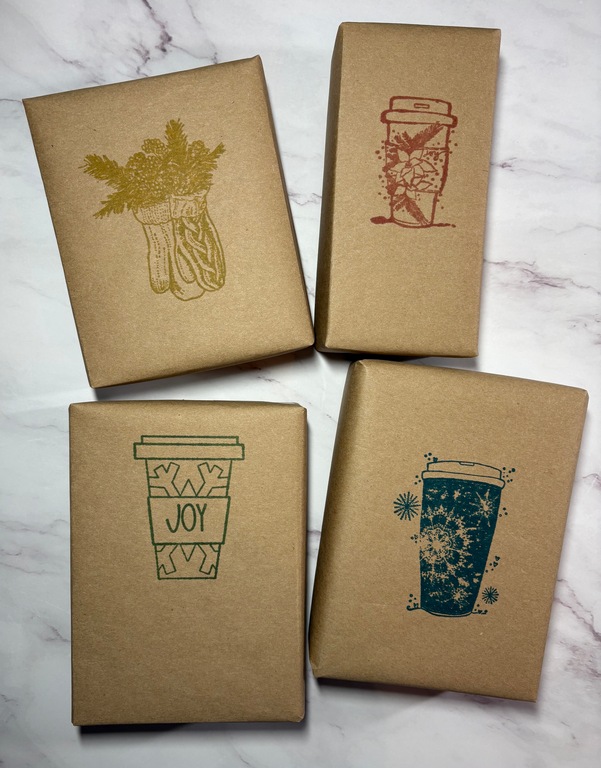
I will be traveling to Washington state for Christmas and both of my children and their families will be there. Since we are flying, we decided to just do stockings instead of large presents. I wrapped all of the stocking stuffers with Kraft paper and used several stamps to create my own wrapping paper.

I used several different stamp sets. Elf Christmas, Stuffed with Joy Stockings, Comfort to Go, Joy Peace & Comfort Mug, Joy to Go, Home With You (Dec 2019 SMAK), Cozy Mitts, Our Hearts to Yours (KOM September 2019), Conspiracy of Love (October 2017 KOM), Cheerful Prancing, Simple Little Joys, A Frosty Christmas, Love into Giving, and finally one of the little stamps from the Advent box in a past year.

I belonged to the KOM for several years and really love how many stamps are in each kit. I make lots of cards, but also enjoy using my stamps for other projects such as this too and hope you will give that a try.

See you tomorrow. – Denise

BBTB2 – Warm and Cozy – Layer it Up.

This is the last challenge for Bitten by the Bug 2 for the time being.  Alicia, who has been a great leader on that blog, is taking a hiatus until life calms down.  Bitten by the Bug is doing it big for this last challenge and joining with Double Trouble in a Warm and Cozy – Layer it Up Challenge.  Here is my take on the challenge which is to include layers.

Bags

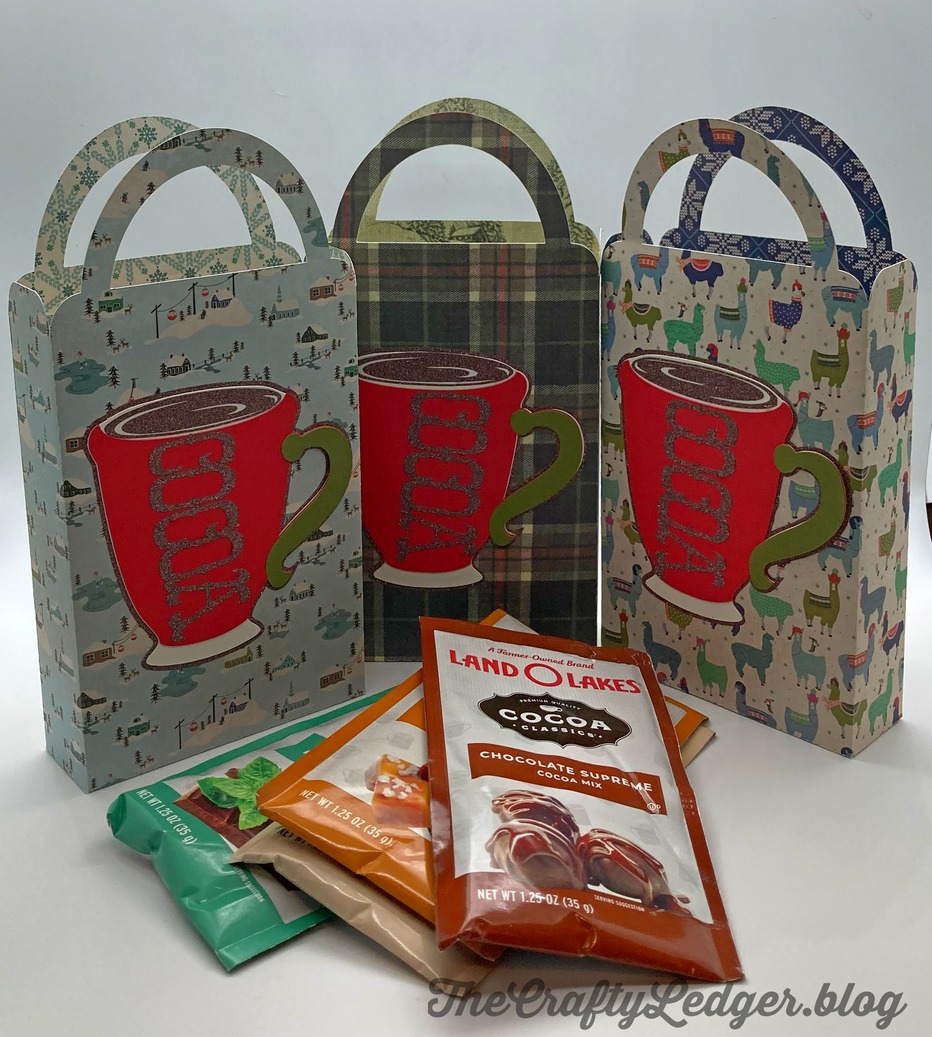
I made these cute bags to hold packets of flavored hot chocolate that I gave for Christmas.  What is more warm and cozy than hot chocolate? I found this bag from the Plantin School Book cartridge (#M3E4ED on Access) and the cocoa mug is from the Savory cartridge (#M31821 on Access).  I sized the bag to fit the packets and the cup to fit on the front of them.  Double sided paper from Authentique made the insides cute too.  I used solid colored scrap paper for the cup.  I was going to use vinyl for the chocolate part and word.  When I opened my vinyl drawer there was some brown glitter vinyl there that I thought would make a sparkly addition to it.  I have only used holographic glitter vinyl before, and this was the first time I had used actual Cricut Glitter Vinyl.  While it is very pretty (hard to tell from this picture), it was very difficult to work with.  I tried three different kinds of transfer paper and tape and none of them wanted to stick to it.  I finally just kind of took a part of the word off and started to apply it, peeling the backing off as I went.  I will have to figure out a better way to use it in the future.

Make sure to link up your project at Bitten by the Bug 2 and  doubletroublechallenge.blogspot.com  in the next two weeks.  They must have layers and use a die cut (it doesn’t have to be on a Cricut for this challenge.)

I have had fun being part of the team for Bitten by the Bug these past two years and thank Alicia for giving me the chance.  Hopefully it will be back in the future. – Denise

BBTB 2 – Any Holiday

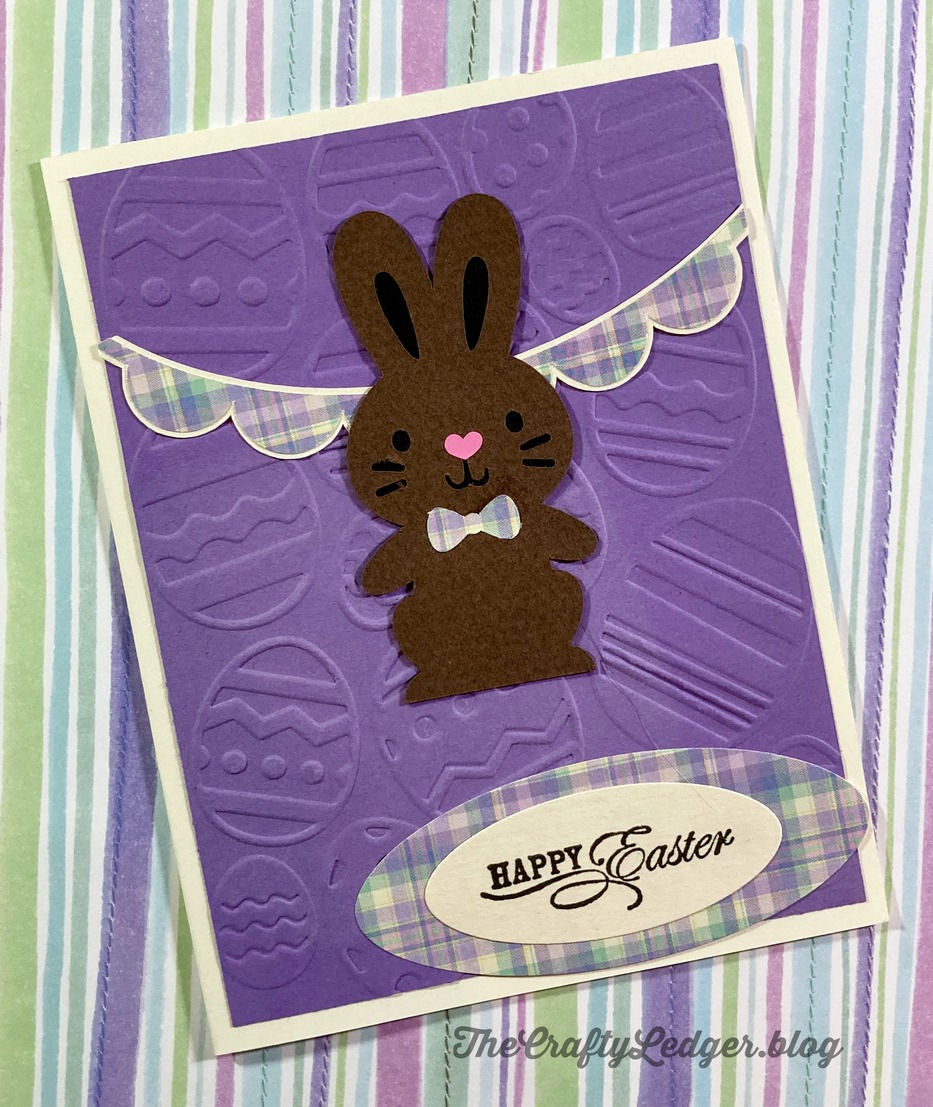
This is the last challenge of the year for Bitten by the Bug 2 and is called Any Holiday.  Since we have pretty much covered Christmas, I decided to do an Easter Card.

easter_card

I found this cute little bunny called Chocolate Bunny that is part of the Create a Critter 2 cartridge.  The banner in the back is from The First Few Years.  I choose a pretty lilac plaid to use for the banner, sentiment background and his cute bow tie.  I embossed a plain purple cardstock with a Darice folder.  The sentiment is a clear stamp set that I have had for quite a while and do not know the manufacturer any longer.  This was a very quick card to do and will be fun to send out this spring.

Feel free to make a project using your Circut for any holiday and link it up at Bitten by the Bug 2 by January 2, 2022.  I guess we need to get used to saying 2022, lol.

May everyone have a blessed New Year! – Denise

BBTB2 – Ornaments

The Holiday Season is upon us and the challenge at Bitten by the Bug 2 is to make an ornament using your Cricut.  This challenge is perfect for me since I make ornaments each year for my family.

fronts

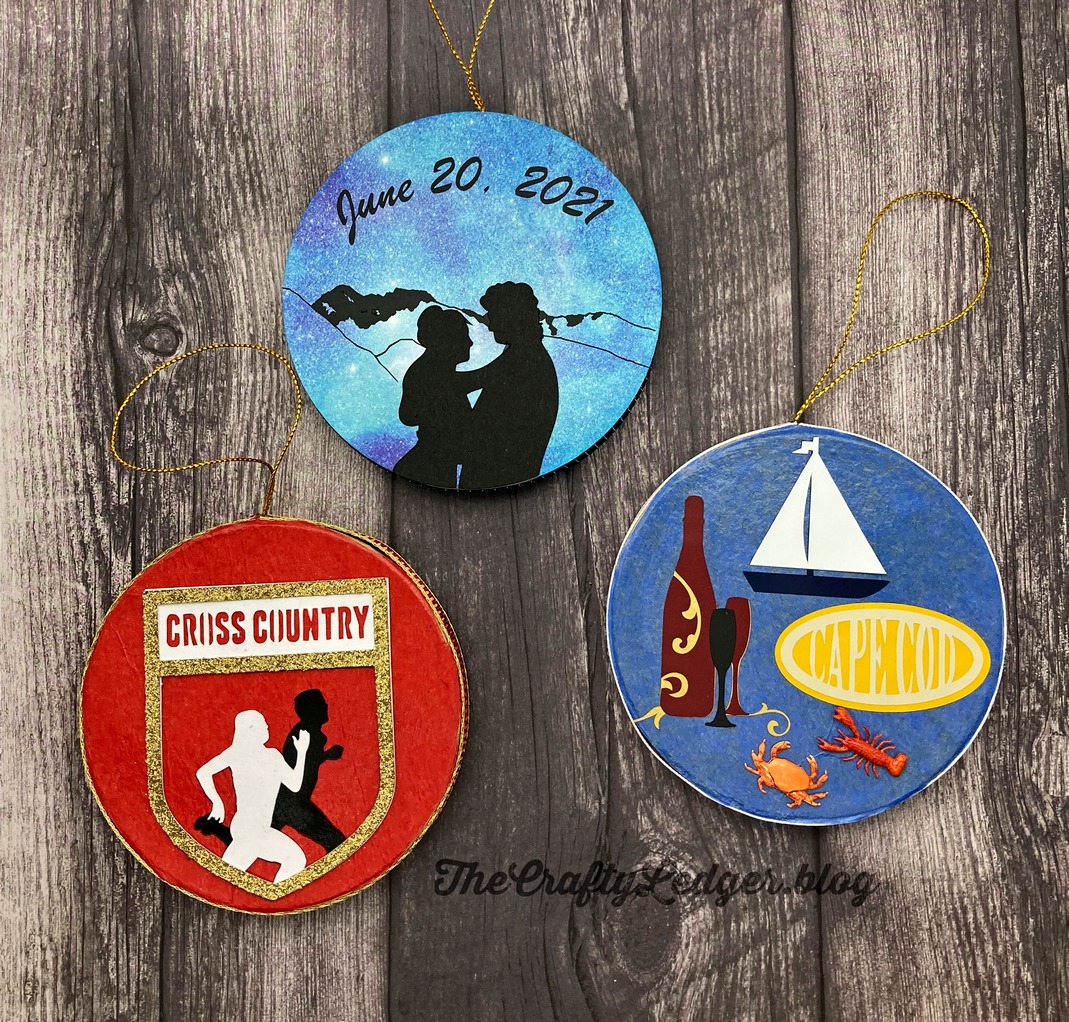
These are the ones I have finished so far (and yes, I am behind this year!).  I try to pick out something important or new that has happened during the year for the recipient.  The top is for my daughter who was married in June.  The wedding took place in their backyard with the mountains in the background.  She had designed an SVG of those mountains which we used in various decorations at her wedding and I used it once again for this ornament.  The silhouettes are from Design Space and called Prom Couple.  I cut the mountians out of vinyl since the lines were so delicate and did a reverse weed on them. The bottom left is for my granddaughter celebrating her first year running cross country.  The image is an image called Cross Country from the Total Sports cartridge.  I used cardstock and a gold glitter cardstock for the frame.  The final ornament is for my daughter-in-law who took a trip earlier this year with her best friend to Cape Cod.  All the images on it are available on Cricut Access, but are also on cartridges I already owned.  The little crab and lobster are brads from Eyelet Outlet.  I cut off the back tines and used Zots to attach them.  These are all mounted on some paper-mache ornaments I found at Hobby Lobby.  I put Mod Podge on the fronts, then tissue paper followed by another layer of Mod Podge.  When it was dry, I cut around the edges.  The wedding one is patterned paper I had.  I let the Cricut cartridge cut out the circle, which I sized based on the measurements the package listed.

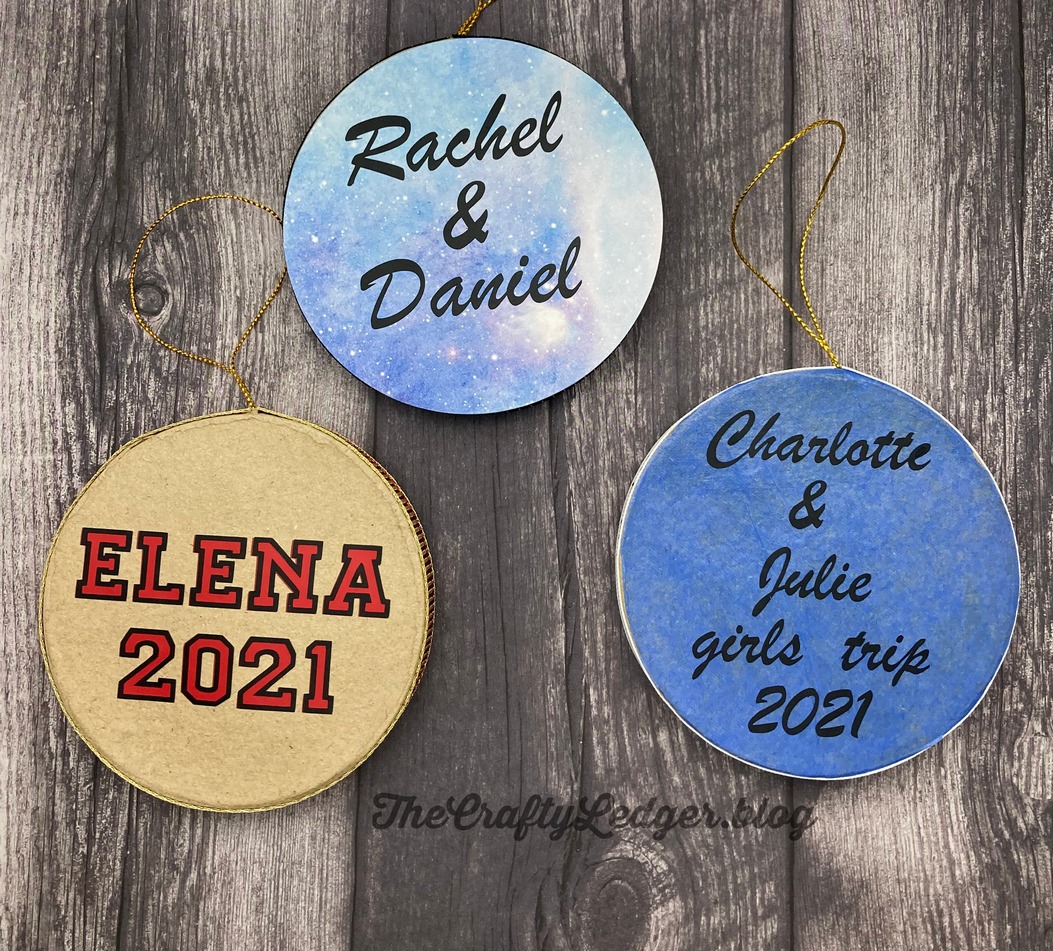
I put the details on the back of each ornament using vinyl lettering.

backs

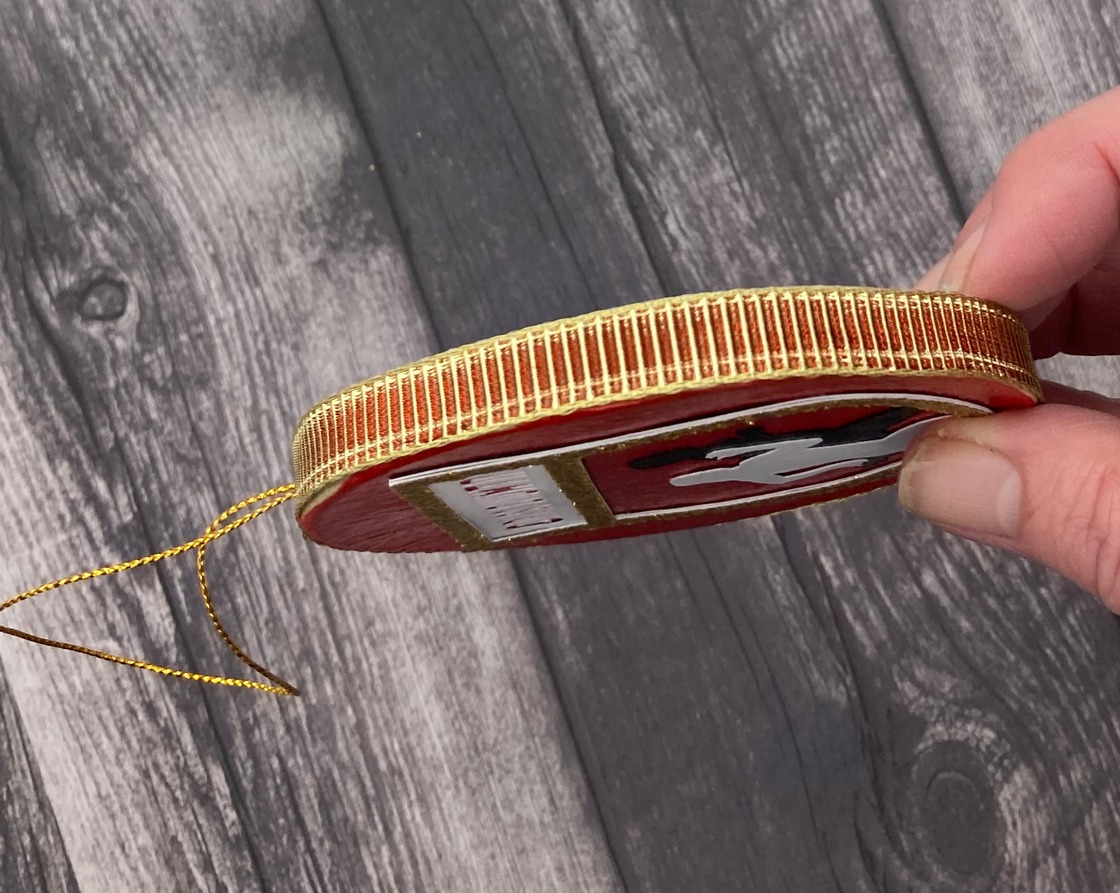
And since these ornaments are 1/4 inch thick, I used ribbon from my stash to put around the outside edge of each ornament.  This is the ribbon I used for the Cross Country one.

sides

While these aren’t as fancy as some I have done in previous years, I think they will like them.  Only two more to go for this year.  Have fun and make some of your own using your Circut in some way and link them up by the end of the day December 19 over at Bitten by the Bug 2 . – Denise

BBTB2 – Fun and Games

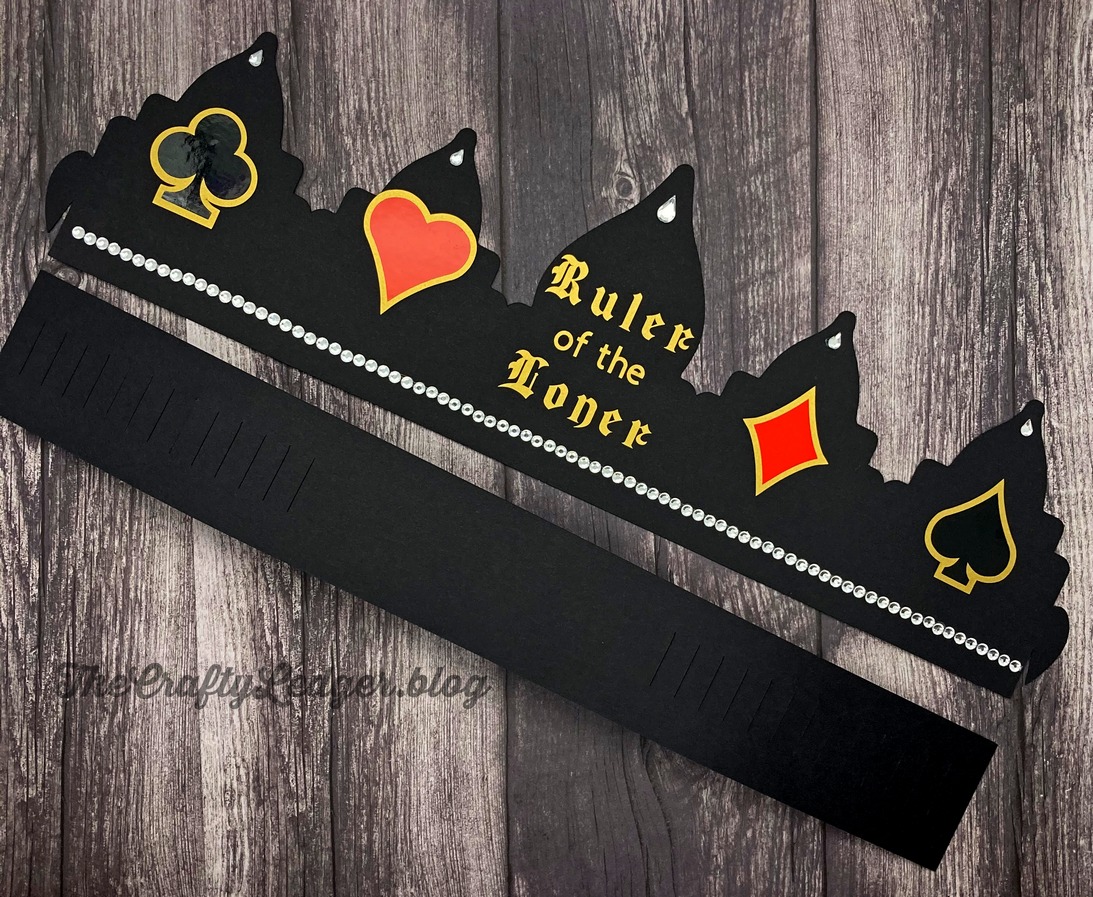
I am the host for the current challenge at Bitten by the Bug 2 and I chose the theme “Fun and Games”.  I love playing board and card games, so I had started a tradition of hosting a family Euchre tournament around Christmas time.  While we haven’t had it the last couple of years due to other obligations and then COVID, This year we are having it again and I have some items that I will use for it, including this crown.

When we do this tournament, I make a game schedule so that after everyone at a table deals, partners switch and start a new game.  We keep track of things like total points earned for each player, loners made, Euchres made, etc.   Then I give prizes for various things including the least points so that everyone has a chance to win something.  One of the most coveted is the “Loner Crown”  If you make a loner, you get to wear the crown, but as soon as someone else makes a loner, they take the crown from you.  The person who is wearing the crown at the end of the tournament wins a prize.  People tend to make a big production out of taking the crown away.

I had a crown that we had used for several years, but it was layered and some of the layers had started slipping, so I decided to make one that incorporated  more of a card theme.  I was just going to redo the old one on Design Space and add the different suits to the design.  I searched and searched, but couldn’t find the design I had used or the project itself.  I finally took off the filter that limited me to images I owned and found the crown, but it wasn’t a part of a cartridge I owned, so I was confused.  Then I thought about just how long it had been since I made and then I remembered.

Gypsy

If you have been working with Cricut for a long time, you might recognize this.  It is called a Gypsy.  Before Design Space, was Cricut Craft Room, and before that was the Gypsy.  You loaded your cartridges unto the Gypsy and then you could design with it and do such things as weld, slice, etc.  When Cricut first announced they were going to an online software, I purchased a used Gypsy as a backup to my own Gypsy, because I couldn’t imagine that I would be using the internet for my Cricut.  We did not have reliable internet at home at the time.  The used Gypsy had some cartridges loaded on it, that were different than what I owned, and voila- the missing crown.  I actually charged it up and brought up the project just to see if I could.  My brother has my old Expression machine, or I might have even tried to make it using this Gypsy.

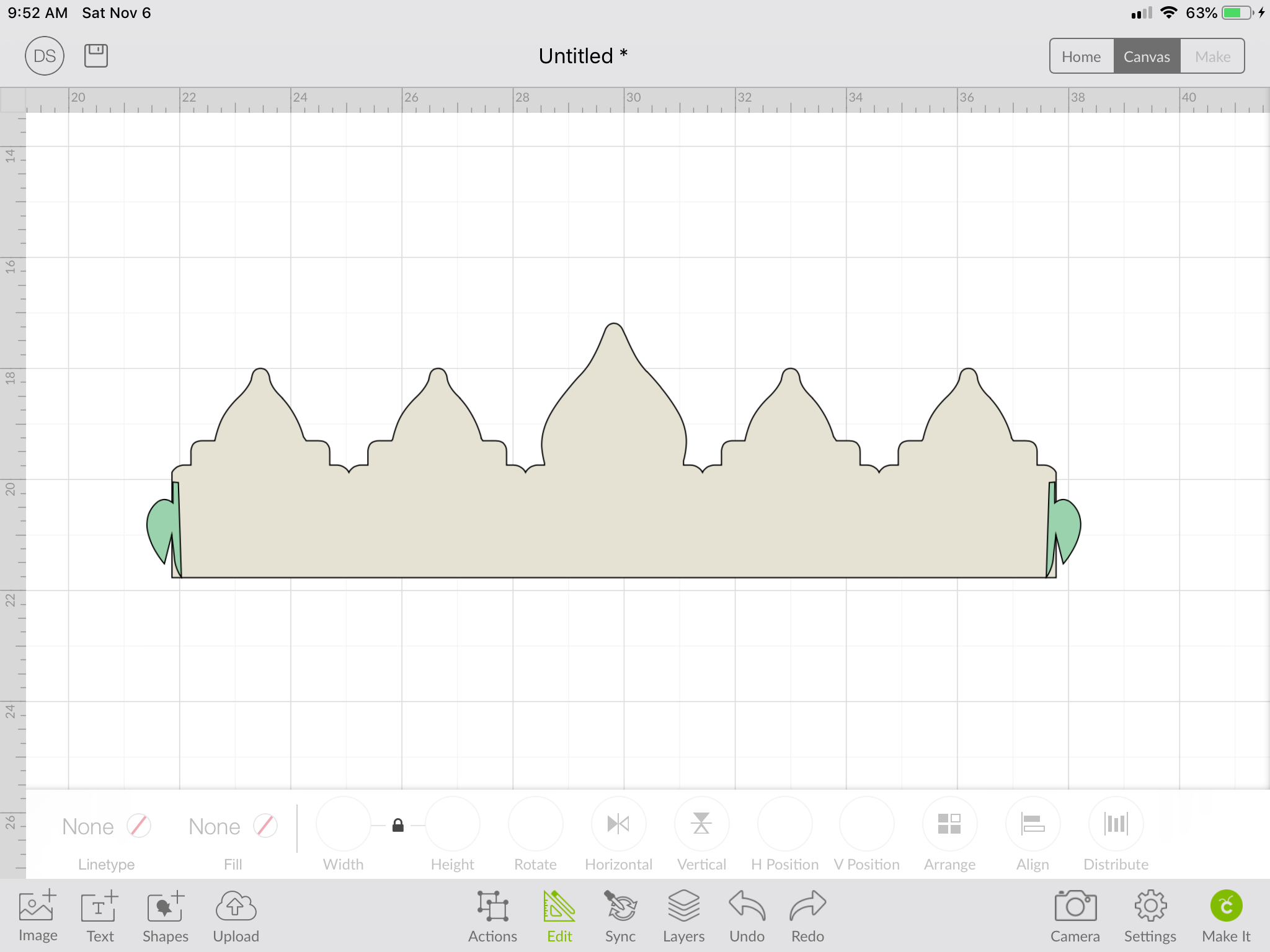
Design Space does have a lot of advantages over this Gypsy, but it meant I had to make my own crown, since I couldn’t find something that would work.  I was able to kind of use elements of the old crown including the fact that it is in two parts that hook together to make the crown.  Putting several slits in the back piece means it is adjustable so that it can fit several different people.  I started by looking at borders to see if there was a shape that would work. I came up with image #M429AZ from “The First Few Years” as a start, then looked for shapes that would work for the larger points of the crown and there were two ornaments from Anna’s Winter Wonderland that looked pretty good.  Finally I need some sort of hook to put on the ends to work with the slots on the back shape.  Since I thought that was the way the cupcake wrappers worked, I looked at various ones of those and found what I wanted as part of the Close to My Heart cartridge called Artiste.  Below is a gallery of the various steps I took to make the design, including welding and slicing off the hook from the cupcake wrapper to weld on the crown.
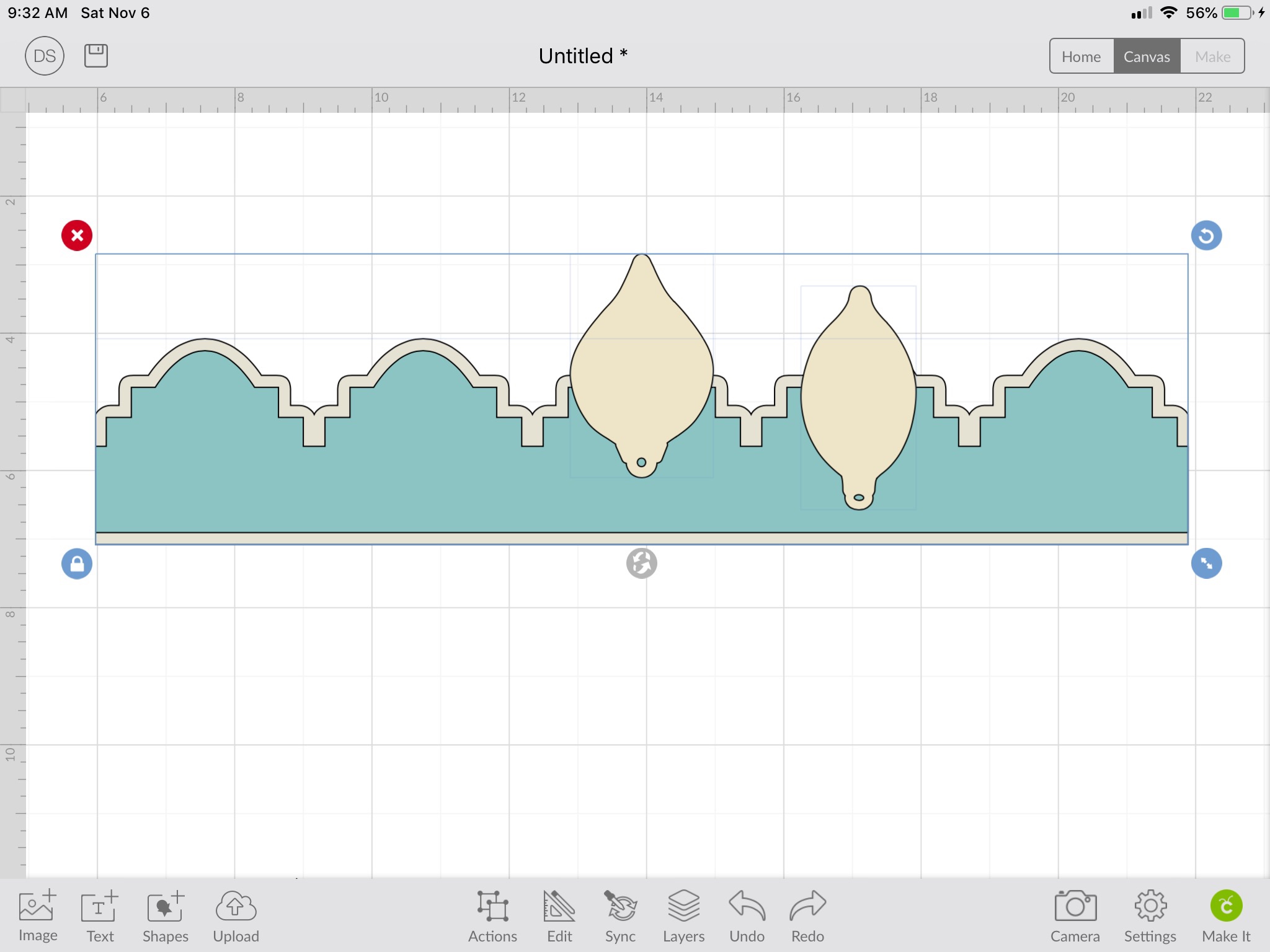
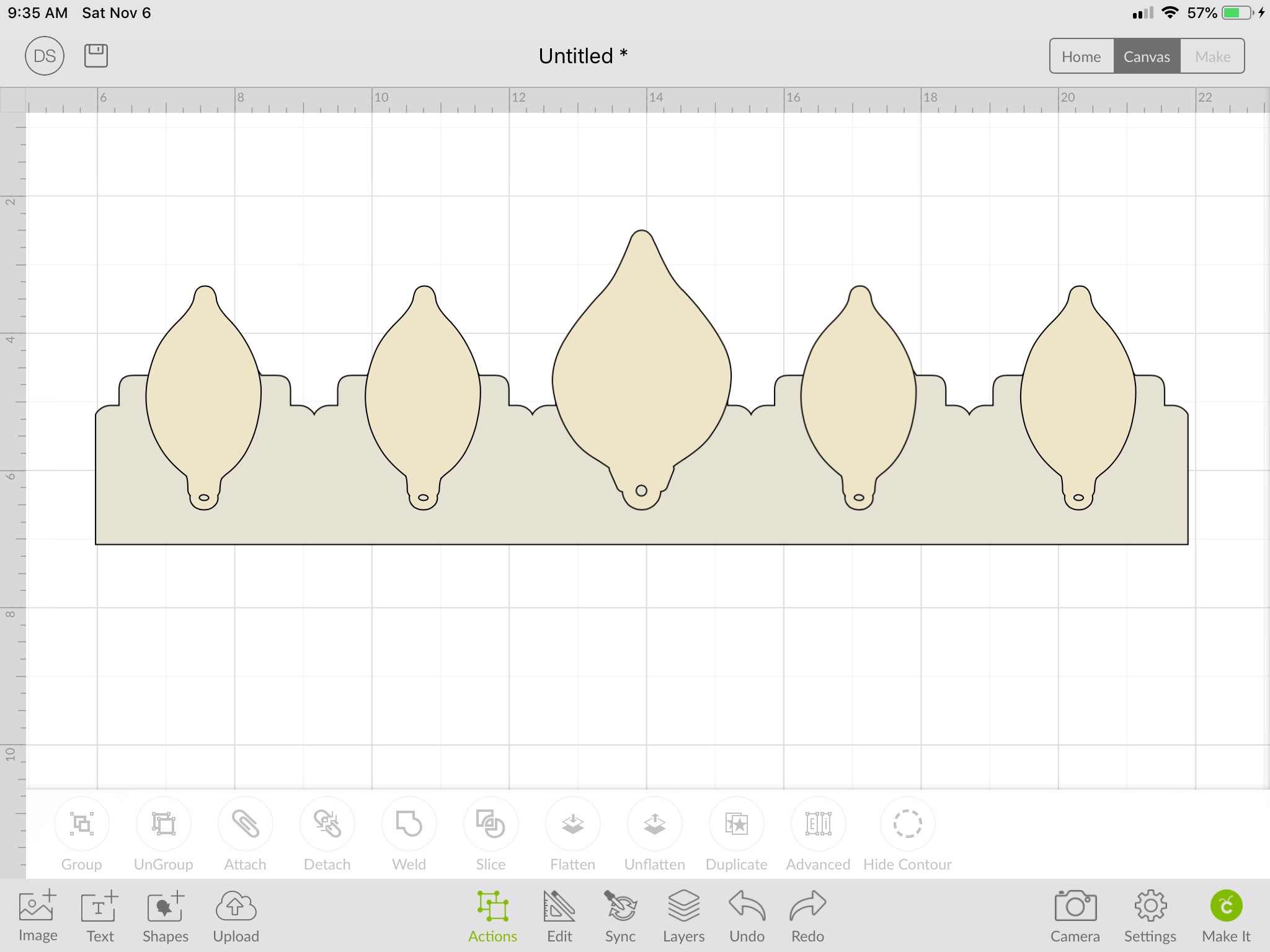
I forgot to take a screen shot of the final weld.

The suits of Clubs, Spades, Hearts, and Diamonds were from the CTMH Artiste cartridge. I used the offset feature to cut in gold and make the black show up on the black crown. The letters are also gold vinyl and use Blackletter and Circut Sans text.  Bling added that something special.

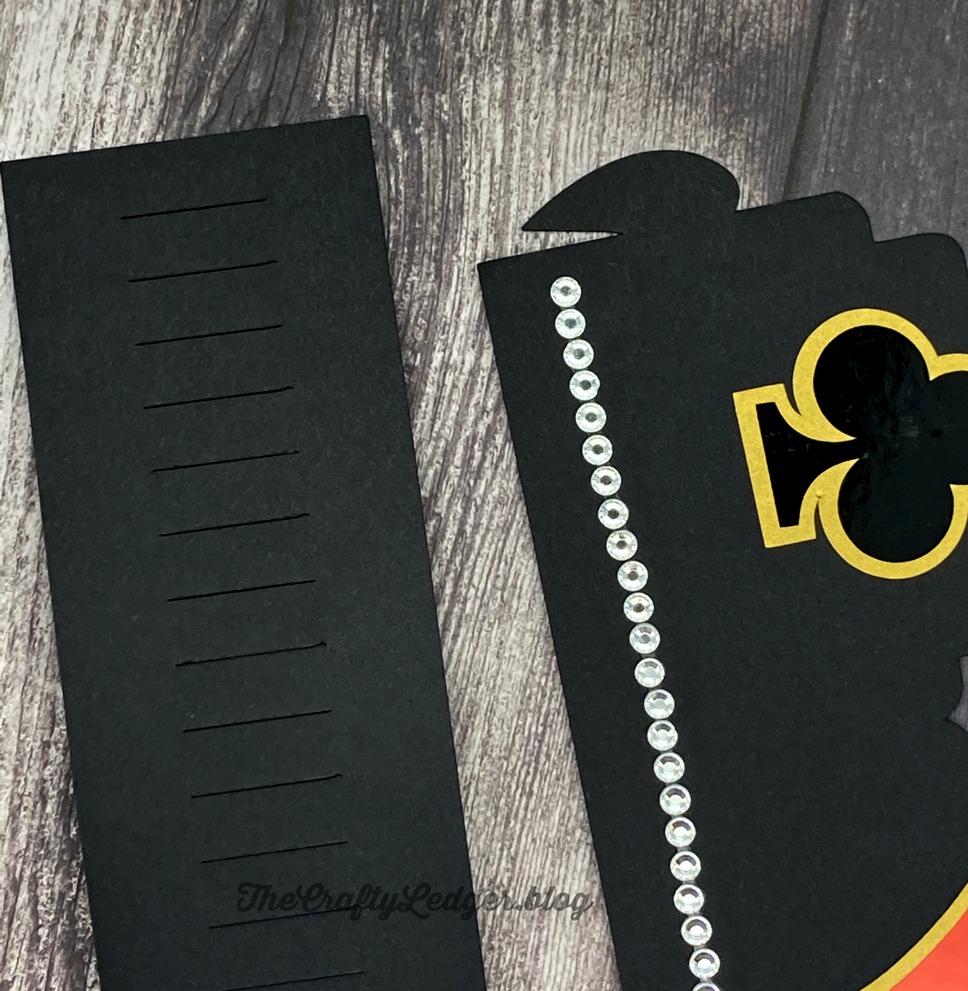
To make the back of the crown, I used basic shapes for a rectangle and lines (changed from score to cut).  The alignment and distribution tools helped make it uniform.  Below is a a closeup of the ends that hook together to make the crown along with the two pieces.  Each piece is 14.5 inches long and I used some 11 x 15 cardstock that I had picked up at a paper store that is a few hours from home, but has some amazing things at very reasonable prices

. endspieces
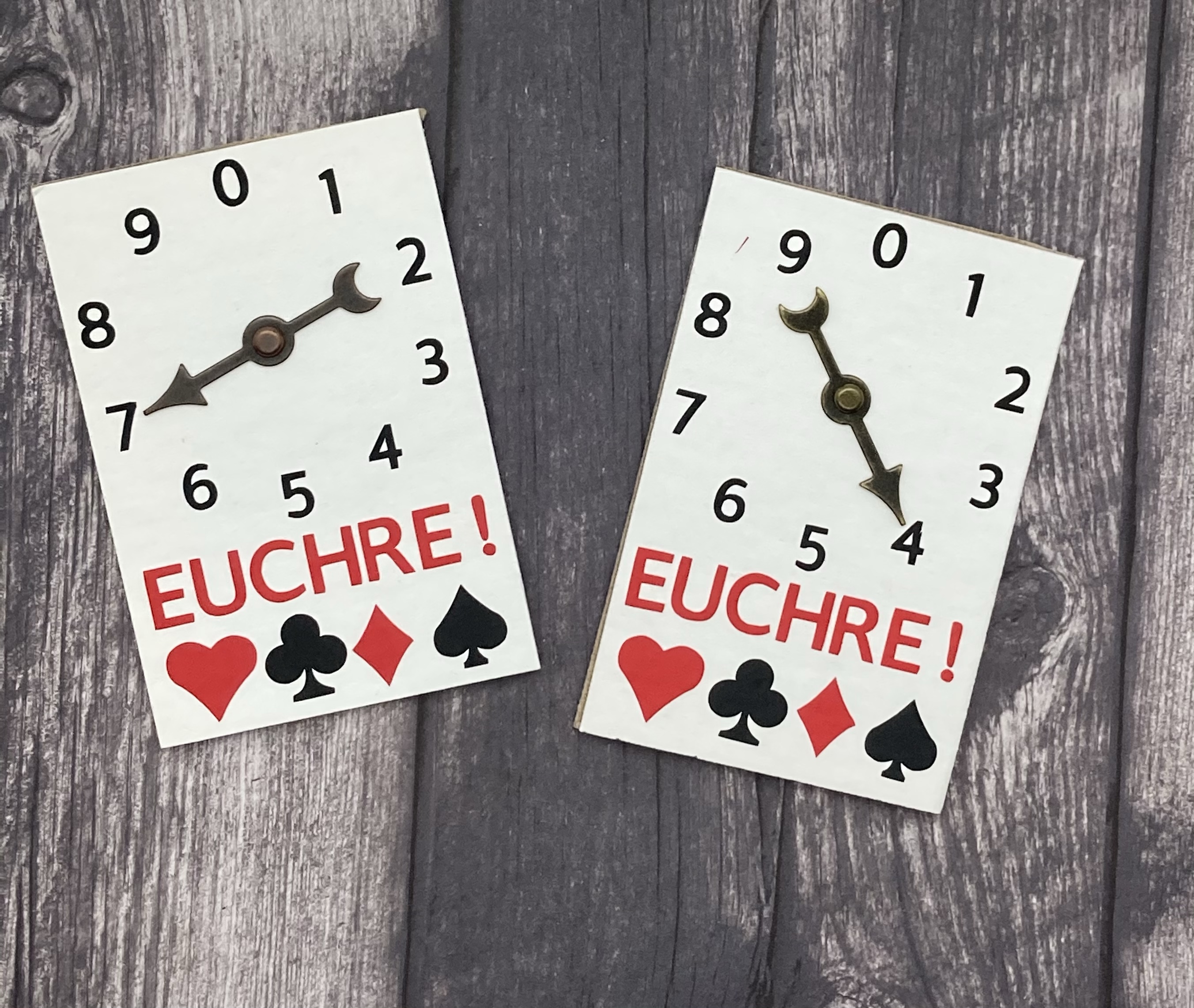
I also made some score keepers with chipboard, vinyl and game spinners I had from Tim Holtz.
Make your own project that incorporates a Fun and Games theme with your Circut and link it up at Bitten by the Bug 2 . The designers have some wonderful inspiration. – Denise